Swap out the Arcadyan PB6802B-LG for a Small Form-factor Pluggable WAS-110 or X-ONU-SFPP
This is strictly for the form-factor as they're all SFU (bridge-only) ONTs
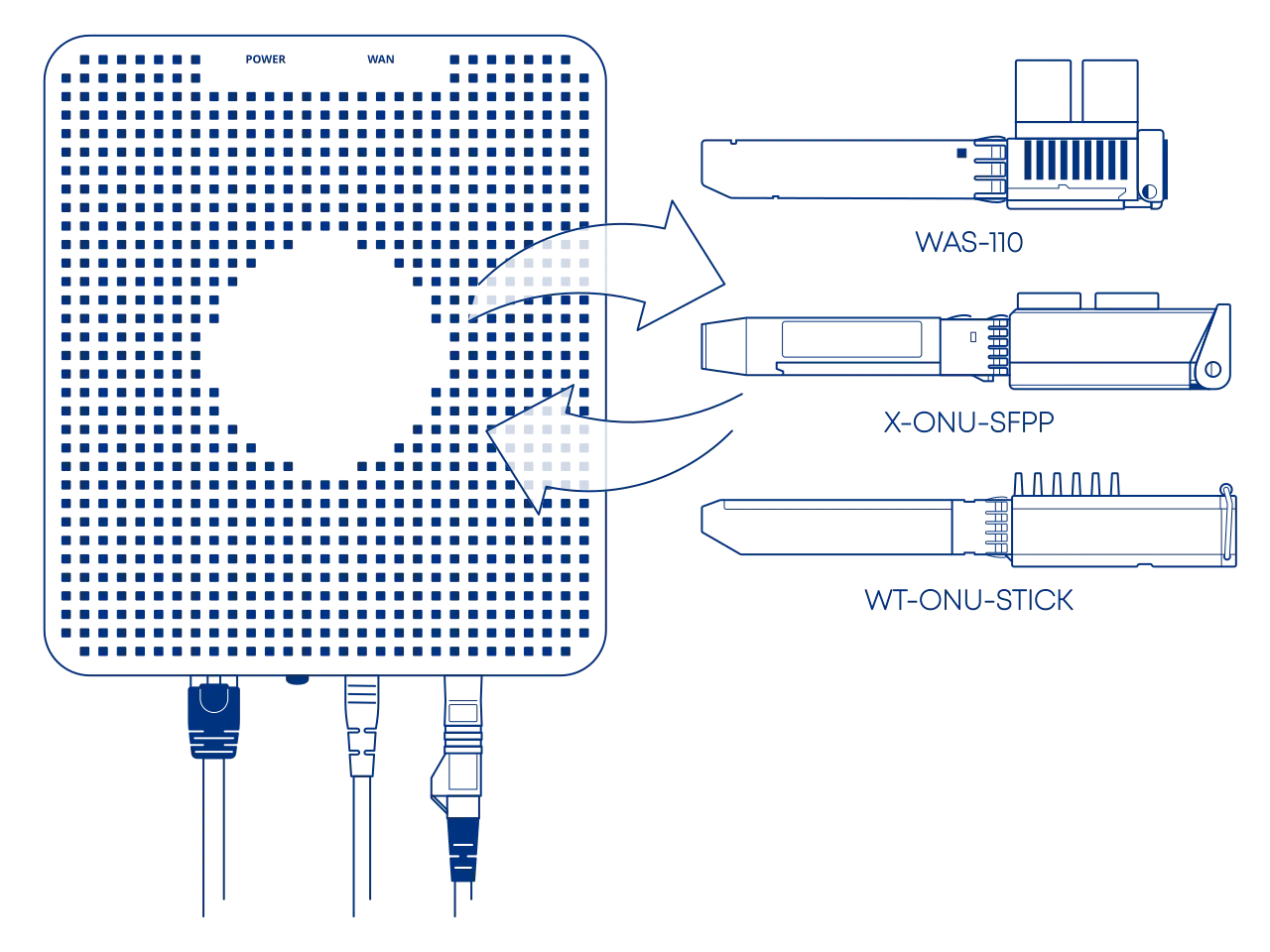
New subscriber installations
Keep the Arcadyan PB6802B-LG in active service for roughly a week until fully provisioned and the installation ticket has been closed.
Common misconceptions and answers
- Are the WAS-110, X-ONU-SFPP, HLX-SFPX, or WT-ONU-STICK a gateway/router?
-
No. These are SFU ONTs (not HGUs) that convert Ethernet to PON; they do not provide Layer 7 gateway functions (NAT, DHCP, etc.) A separate gateway/router is required for internet access.
Purchase Hardware
ONT
The WAS-110, X-ONU-SFPP, and WT-ONU-STICK are available from select resellers worldwide; purchase at your discretion. We assume no responsibility or liability for the listed resellers.
Purchase SC/APC variant
Although Virgin Media terminate their fiber at the ONT using LC/APC connectors, purchasing an SC/APC ONT guarantees portability and compatibility.
Angled Physical Contact (APC) tips are polished to 8 degrees. This eliminates signal reflections on the fiber.
Never mismatch APC (green) and UPC (blue). This causes signal loss and can permanently damage the fiber faces.
-
WAS-110
-
X-ONU-SFPP WAS-110 substitute
-
WT-ONU-STICK X-ONU-SFPP substitute

LC/APC to SC/APC adapter or cable
A Female LC/APC to Male SC/APC adapter is necessary for connecting to the WAS-110 or X-ONU-SFPP with the provisioned LC/APC cable, or a Male LC/APC to Male SC/APC patch cable, both of which can be purchased at https://www.amazon.com/.
Pre-configuration
Before beginning the ONT configuration, ensure you have addressed the following networking requirements to enable successful communication with the PON.
LCT Access Route
To install, upgrade, and configure the ONT, your gateway must be able to reach its Local Craft Terminal (LCT) interface. Follow the Accessing the ONT guide to set up the proper network routing between your gateway and the ONT management plane.
Install ONT firmware
You must first install the 8311 community firmware for VEIP support to masquerade as the Arcadyan PB6802B-LG on XGS-PON.
Upgrading a pre-flashed 8311 WAS-110 or X-ONU-SFPP
If your WAS-110 came with 8311 firmware pre-installed, you do not need to follow the full installation guide below. Instead, you can go directly to the Supplementary Upgrades section to re-install the official 8311 community build to both A and B partitions.
There are two (2) methods to install the 8311 community firmware onto the WAS-110, outlined in the following guides:
-
Method 1: recommended
-
Method 2
The X-ONU-SFPP 8311 community firmware installation requires a two-step process and is more prone to failure or bricking.
This process is not thoroughly documented and can lead to a bricked device
- Step 1: Install the Azores bootloader
-
Skip past to the solution in the following issue tracker on how to install the Azores bootloader.
- Step 2: Multicast upgrade
-
Follow through the WAS-110 multicast upgrade and community firmware recovery guide to install the 8311 community firmware.
Configure ONT settings
To masquerade as the Arcadyan PB6802B-LG, you will need its ONT serial number, which is located on the bottom label as depicted below.

Use your preferred setup method and carefully follow the steps to avoid unnecessary downtime and troubleshooting:
Via web recommended


-
Within a web browser, navigate to https://192.168.11.1/cgi-bin/luci/admin/8311/config and, if asked, input your root password.
-
From the 8311 Configuration page, on the PON tab, fill in the configuration with the following values:
Reminder
Replace the
 PON Serial Number with the one found on the Arcadyan PB6802B-LG label.
Attribute Value Mandatory Remarks PON Serial Number (ONT ID) ARLG…  PON S/N
Equipment ID PB6802B-LG Hardware Version PB6802B-LG Software Version A 3.1.6_prod Version listing Software Version B 3.1.6_prod Version listing MIB File /etc/mibs/prx300_1V.ini VEIP Override active firmware bank A OLT inits a reboot if on bank B Override committed firmware bank A OLT inits a reboot if on bank B Firmware Version Match ([0-9]+\.[0-9]+\.[0-9]+_prod) -
From the 8311 Configuration page, on the ISP Fixes tab, enable Fix VLANs from the drop-down and set the internet VLAN to
911. -
Save changes and reboot from the System menu.
Via shell
-
Login over secure shell (SSH).
ssh root@192.168.11.1 -
Configure the 8311 U-Boot environment.
Highlighted lines are mandatory
Replace the
8311_gpon_sn with the PON S/N found on the Arcadyan PB6802B-LG label.fwenv_set -8 equipment_id PB6802B-LG fwenv_set -8 hw_ver PB6802B-LG fwenv_set -8 override_active A fwenv_set -8 override_commit A fwenv_set -8 gpon_sn ARLG... # (1)! fwenv_set -8 mib_file /etc/mibs/prx300_1V.ini fwenv_set -8 fix_vlans 1 fwenv_set -8 internet_vlan 911 fwenv_set -8 -b fw_match '([0-9]+\.[0-9]+\.[0-9]+_prod)' fwenv_set -8 sw_verA 3.1.6_prod # (2)! fwenv_set -8 sw_verB 3.1.6_prod- PON S/N
- Version listing
-
Verify the 8311 U-boot environment and reboot.
fw_printenv | grep ^8311
reboot
Verify ONT connectivity
Hot plug fiber cable
Avoid direct eye contact with the end of the fiber optic cable
After rebooting the WAS-110 or X-ONU-SFPP, safely remove the LC/APC fiber optic cable from the Arcadyan PB6802B-LG and either connect it to an SC/APC adapter to the WAS-110 or X-ONU-SFPP, or replace the entire fibre with one suitable for the module.

- Navigate to https://192.168.11.1/cgi-bin/luci/admin/status/overview and, if asked, input your root password.
- From the PON Status section, evaluate that the RX Power and TX Power are within spec.
For troubleshooting, please read the Troubleshoot connectivity issues with the WAS-110 guide's Optical status section.
Validate OLT authentication
Check for O5.1 PLOAM status
- Navigate to https://192.168.11.1/cgi-bin/luci/admin/status/overview and, if asked, input your root password.
- From the PON Status section, verify that the PON PLOAM Status is in an 05.1, Associated state.
For troubleshooting, please read the Troubleshoot connectivity issues with the WAS-110 guide's PLOAM status section.
Check for OLT associated VLAN filters
- Navigate to https://192.168.11.1/cgi-bin/luci/admin/8311/vlans and, if asked, input your root password.
- From the VLAN Tables page, if the textarea states "No Extended VLAN Tables Detected", the ONT configuration has not satisfied the OLT.
Router tips
Detailed router setup falls outside the scope of the documentation due to the multitude of available solutions.
- Apply the pre-configuration requirements.
- Configure the WAN VLAN to
911. - Configure the WAN for DHCP mode.
Managed switch tips
- Filter or disable any Layer 2 management protocols (e.g., (R)STP) and discovery protocols (e.g., LLDP, CDP, FDP, MNDP, RoMON).
Software versions
The Arcadyan PB6802B-LG uses CWMP instead of OMCI for firmware updates. While the OLT rarely requires approval for specific software versions, keeping the WAS-110 or X-ONU-SFPP up-to-date is beneficial but not strictly necessary.
If you would like to help us maintain the software listing, you can contribute new versions via the 8311 Discord community server or by submitting a Pull Request on GitHub.
| Software Version |
|---|
| 3.1.6_prod |
| 3.1.1_prod |